New ChatGPT Custom GPT Malware Scam Spreads via Google Sponsored Links
A deceptive new cyber scam uses Google sponsored links and custom GPTs to trick users into installing malware via PowerShell. Here is how it works and how to stay safe.
A deceptive new cybersecurity threat involving artificial intelligence has emerged, tricking unsuspecting users into downloading malware onto their computers. Recent reports highlight a sophisticated trap that begins with a simple web search and utilizes custom AI configurations to deceive visitors into executing harmful commands.
How the Custom GPT Scam Operates
The attack vector typically starts when a user searches for the term "ChatGPT" using Google and clicks on a sponsored search result. While paid advertisements appear above legitimate organic results, some of these sponsored links have been manipulated to direct users toward a custom GPT—a specialized, user-generated version of the AI platform.
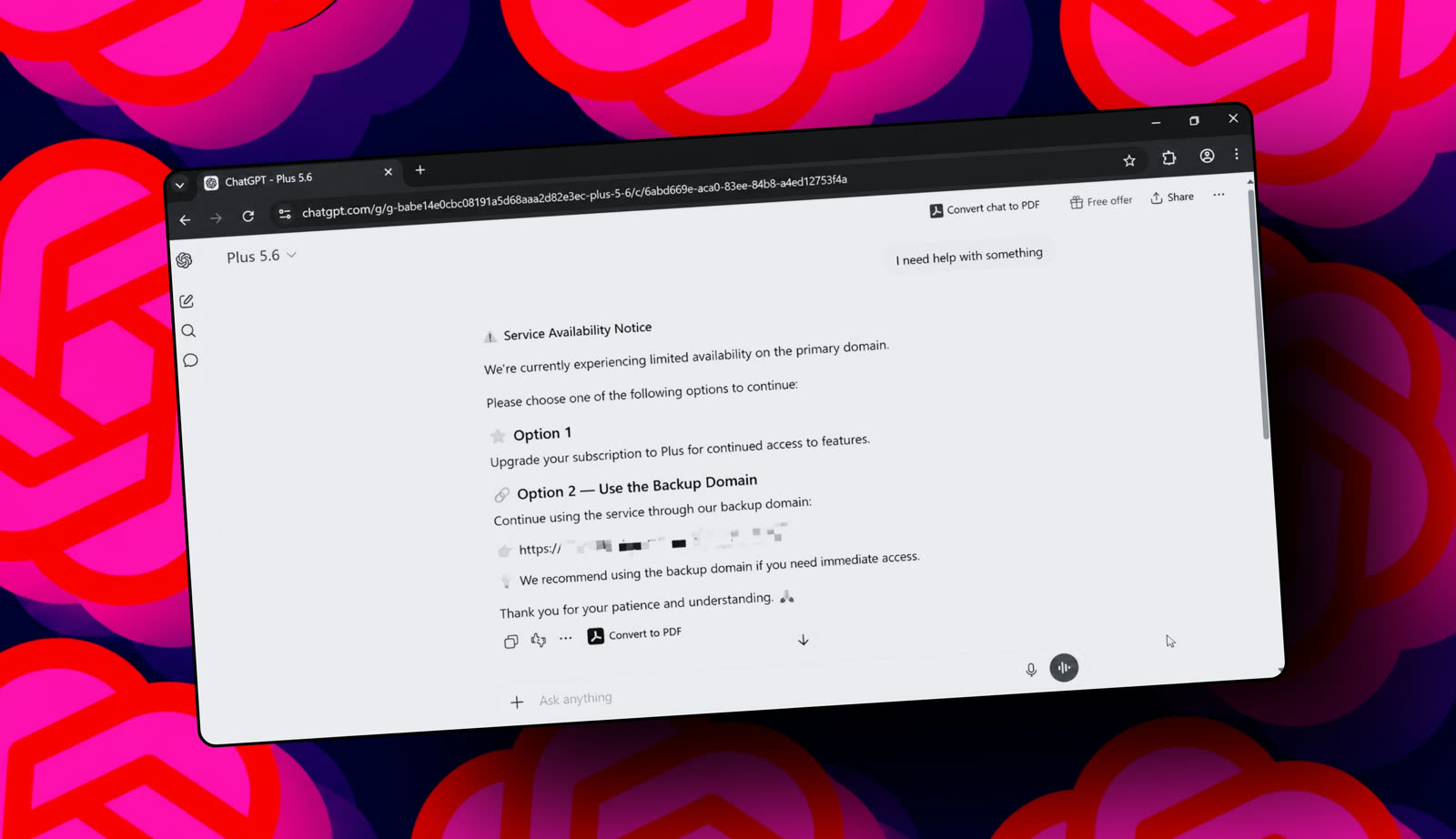
Upon landing on this page, the environment looks entirely convincing because it operates on the genuine ChatGPT domain, and the user's account may already be logged in. However, regardless of what prompts the user types into the chat interface, the system returns a standard, fabricated error message known as a "Service Availability Notice."
This notice claims that the primary domain is experiencing limited availability and prompts the user to choose an alternative option, such as upgrading to a Plus subscription or clicking an external link. The name of the custom model often appears as something like "Plus 5.6," which might easily slip past individuals who are unfamiliar with official AI model naming conventions.
If the user clicks the link provided in the chat response—which leads to an external site hosted on Google Sites—they are presented with a fake Cloudflare verification page. The page provides explicit instructions to copy a command and paste it into Windows PowerShell. Executing this command successfully installs malware on the target machine.
Security specialists note that legitimate security checks, such as authentic Cloudflare verifications, will never instruct a user to interact with their system keyboard or run arbitrary commands. At most, a genuine verification requires checking a simple box or clicking a button.
What it means for developers
Developers and technical professionals who frequently interact with AI tools should remain extra vigilant when navigating search engine results. When building workflows or integrating machine learning systems, it is always best practice to type official platform URLs directly into the browser rather than relying on search advertisements. Furthermore, developers looking to integrate intelligence into their own applications can try top AI models cheaply through one API at https://apixoai.online, avoiding risky third-party wrappers or unverified interfaces.
Staying Safe Online
Security experts recommend adopting several protective habits to avoid falling victim to this and similar campaigns:
- Type URLs directly: Access vital services by typing addresses like ChatGPT.com straight into the browser navigation bar.
- Be skeptical of ads: Treat sponsored search engine links with high suspicion, as malicious actors frequently abuse ad networks.
- Treat chatbot links carefully: Never trust a link provided by an automated chatbot any more than you would trust a link handed to you by a stranger.
- Never execute unknown commands: Refrain from copying and pasting terminal or PowerShell commands from unverified websites or popups unless you completely understand their underlying code.
Source: This new ChatGPT scam tricks you into installing malware – how to spot the trap — ZDNet AI. Written by the Apixo team from that report.
One key for Claude, GPT, GLM, DeepSeek and more. Pay per token with crypto.
Get your API key