OpenAI Upgrades ChatGPT Chrome Extension to Read and Control Open Tabs
OpenAI has updated its ChatGPT Chrome extension, letting users analyze open browser tabs, automate web forms, and manage pages directly from the browser sidebar.
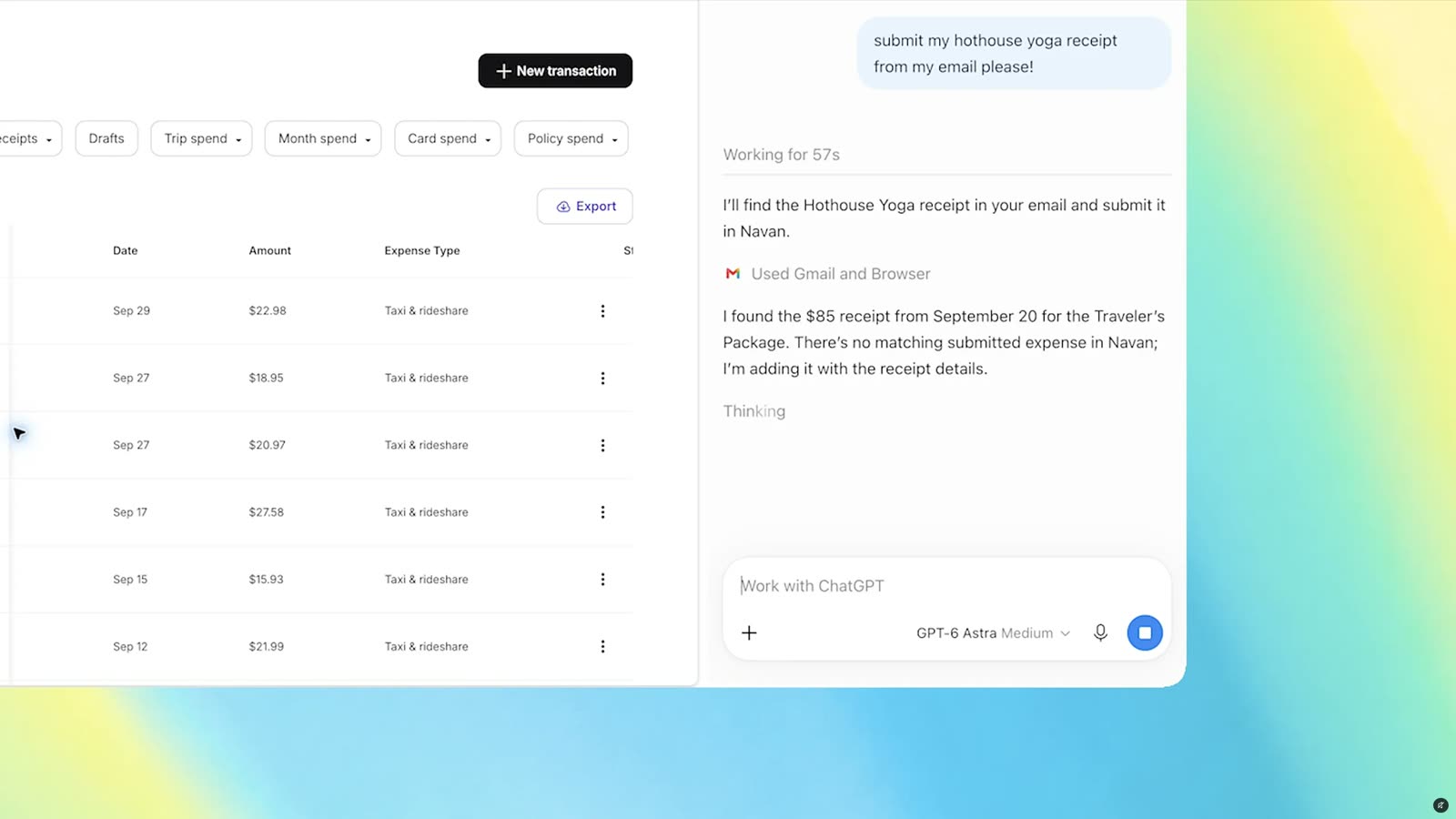
OpenAI has rolled out a series of updates to its ChatGPT extension for Google Chrome, enabling the assistant to access content directly across open browser tabs. The update arrives after the retirement of OpenAI's ChatGPT Atlas browser project, shifting the company's browser-level capabilities directly into Google's widely used web browser.
With the upgraded add-on installed, users can bring context from their active web session into prompts by tagging Chrome within the ChatGPT web platform or desktop application. In a demonstration shared by OpenAI, a user prompted the assistant to inspect three separate open tabs showing sofas under consideration, allowing the model to quickly synthesize differences across the items without requiring manual copying and pasting.
New capabilities for browser tabs
OpenAI highlighted several real-world tasks that the upgraded Chrome extension can handle by reading active tabs. Users can direct ChatGPT to cross-reference multiple web destinations at once, extract specific details, and format the results into actionable documents.
Among the examples outlined by the company, ChatGPT can:
- Scan open vendor pages and populate a comparison spreadsheet containing pricing, key product features, and original source URLs.
- Review multiple open tabs covering contractor services, analyze their offerings, and compose an email to the business best suited for a home renovation project.
- Read an event brief in one tab to complete an online registration form, with explicit instructions to halt before submitting.
- Extract details from a dentist's intake form opened via
@chrometo fill out medical paperwork, while simultaneously scheduling the appointment across both personal and work calendars.
These workflows emphasize using open browser tabs as dynamic context windows, reducing the friction of moving text between different software applications.
Sidebar integration and tab automation
In addition to reading context from user prompts, the Chrome extension includes an upgraded sidebar experience. Users can now access the full capabilities of ChatGPT alongside their complete interaction history across Chat or Work without leaving the webpage they are browsing.
Beyond passive text reading, the update introduces browser automation through ChatGPT Work. The assistant can now take action within Chrome tabs, executing steps such as filling out online forms, sending messages, and downloading files. OpenAI also noted that the tool can organize and group open tabs to help clean up cluttered sessions.
This level of direct browser interaction resembles Google's Gemini-powered auto browse capability, pointing toward an industry trend where artificial intelligence assistants transition from simple chat interfaces into tools capable of navigating user environments directly.
What it means for developers
The ability for an assistant to directly observe and control web tabs highlights how agentic workflows are moving into everyday browser interfaces. For engineers and product teams, this development signals a shift toward systems that rely heavily on live DOM awareness, multi-tab context gathering, and semi-autonomous browser execution.
As models gain agency to complete forms and send messages, workflows that incorporate safety boundaries—such as requiring the model to stop before finalizing a form submission—will become critical design patterns. Developers building client-side tools or web automation agents need to consider how AI assistants parse disparate web pages simultaneously and how to verify information extracted across multiple endpoints.
Understanding how different model families approach document parsing, tabular data extraction, and tool use is essential when architecting these automated experiences. Developers can try top AI models cheaply through one API at https://apixoai.online to evaluate how distinct foundation models handle structured context and multi-step tasks across their applications.
Source: ChatGPT can peek at your Chrome tabs now — The Verge AI. Written by the Apixo team from that report.
One key for Claude, GPT, GLM, DeepSeek and more. Pay per token with crypto.
Get your API key